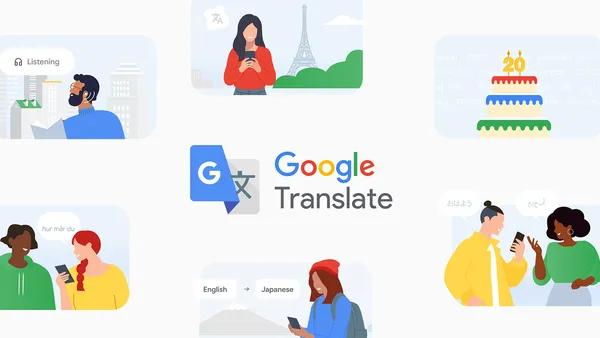

Google Translate turned 20 this week. That’s two decades of people pasting weird sentences into a box, getting back something that sort of makes sense, and then arguing with friends about whether the translation is right.
I’ve been using it since the early days, back when it was just an experiment inside Google’s labs. It’s come a long way from the time it translated “The spirit is willing but the flesh is weak” into Russian and then back into English as “The vodka is good but the meat is rotten.” That was a real thing, and it became a classic example of why machine translation was still a joke.
Now it supports almost 250 languages. That’s not just the big ones like Spanish and Mandarin. It’s also got languages like Klingon (yes, really), and a bunch of indigenous languages that were never properly digitised before. That part is genuinely impressive.
The early days were rough
When Translate first launched in 2006, it was based on statistical machine translation. That meant it learned by crunching huge amounts of parallel text — documents that existed in two languages side by side. It worked okay for European languages where there was plenty of UN and EU data. But try translating something like Icelandic or Swahili and you’d get gibberish.
Then in 2016, Google switched to neural machine translation. That was the real turning point. Instead of treating each word separately, the system looked at whole sentences and understood context. Suddenly translations were smoother. They still made mistakes, but they didn’t sound like a robot having a stroke.
What I actually use it for
I travel a lot, so the camera feature in the app is my go-to. Point your phone at a menu or a street sign and it overlays the translation in real time. It’s not perfect — it sometimes misreads handwritten text or gets confused by cursive fonts — but it’s good enough to order food without accidentally asking for something disgusting.
The conversation mode is also useful. Two people speak into the phone and it translates back and forth. It’s awkward and you look like a weirdo holding your phone between two people, but it works well enough for basic interactions. I’ve used it to buy train tickets in rural Japan and to explain a medical issue in a pharmacy in Morocco. It didn’t replace human interaction, but it got me out of a few tight spots.
What still annoys me
Look, I’m not going to pretend Translate is perfect. It still struggles with idioms, sarcasm, and anything that requires cultural context. If you translate “break a leg” into German, you get “Brich dir ein Bein,” which literally means break a leg. A native speaker would understand the idiom, but the system doesn’t know you’re using it as a good luck charm.
It also fails hard on languages that aren’t well represented in its training data. If you’re translating between two languages that aren’t English, the quality drops noticeably. That’s because English is the pivot language for most pairs. So translating Finnish to Swahili means going Finnish → English → Swahili, and errors compound at each step.
And the browser extension is still a memory hog. I’ve had Chrome crash multiple times because I had a whole page translated. It’s better than it was five years ago, but it’s not something I leave on by default.
New features worth trying
For the 20th anniversary, Google added a few things that actually matter. One is better offline support. You can now download full language packs for 70 languages, and the translations are surprisingly good even without a connection. I tested this on a flight with no Wi-Fi, translating a long German email into English. It wasn’t flawless, but it was readable.
Another addition is the “Contextual Translation” feature on Android. It works inside other apps. So if you’re reading a message in a foreign language, you can long-press the text and get a translation without switching apps. That’s the kind of small UX improvement that makes a real difference.
There’s also a new “Formality Toggle” for languages like Japanese, Korean, and French. You can choose between casual and formal tone. This is huge if you’ve ever accidentally used informal Japanese with a boss. I’ve done that. It’s awkward.
The bigger picture
Twenty years is a long time in tech. Google Translate started as a side project and now handles over 100 billion words per day. That’s more than the entire Library of Congress, every day. It’s not a toy anymore. It’s infrastructure.
But I still think of it as a tool, not a replacement for learning a language. It’s great for getting the gist, for travel, for reading a foreign news article quickly. But if you’re trying to have a real conversation, learn the language. Translate will get you through the door, but it won’t make you friends.
Happy 20th, Translate. You’re still awkward, but you’re useful.
Comments (0)
Login Log in to comment.
Be the first to comment!